
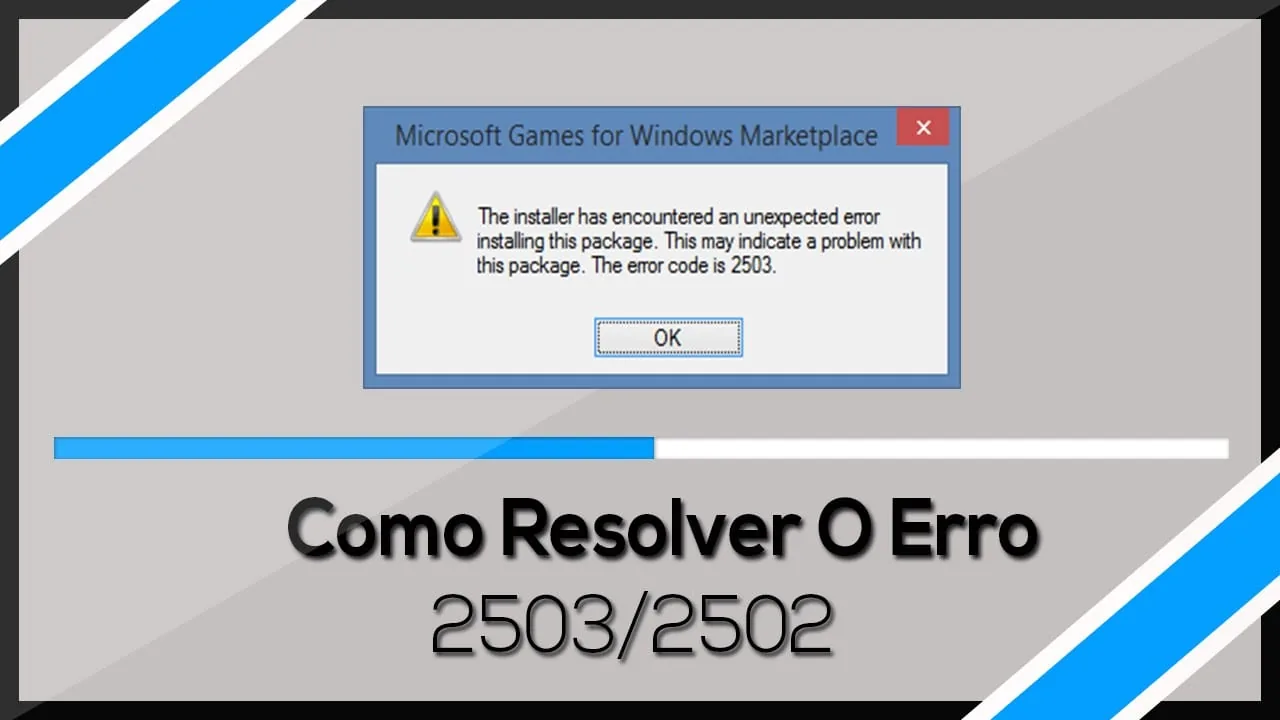
Recently I had a curious case while installing the Itaú application on Windows 10. This can also happen on Windows 8.1 and Windows 7. The error means the C:\Windows\Temp folder has incorrect NTFS permissions.
For Windows Installer to work normally, this folder needs write permission and the user needs to own it.
To fix it, follow these steps:
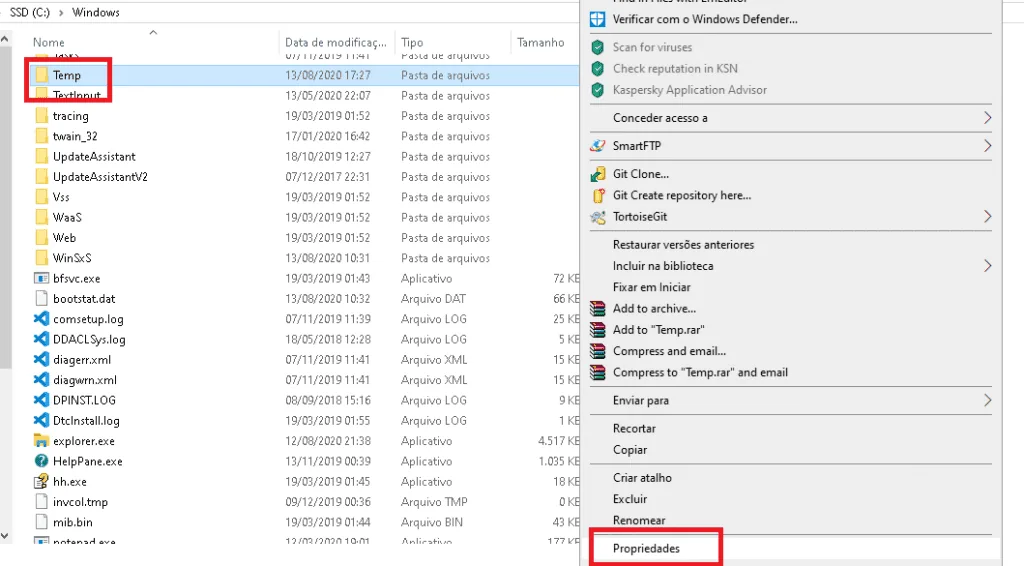
- Open the folder below. The C:\ drive letter may change depending on where your operating system is installed.
C:\Windows\
- Find the Temp folder and right-click > Properties.
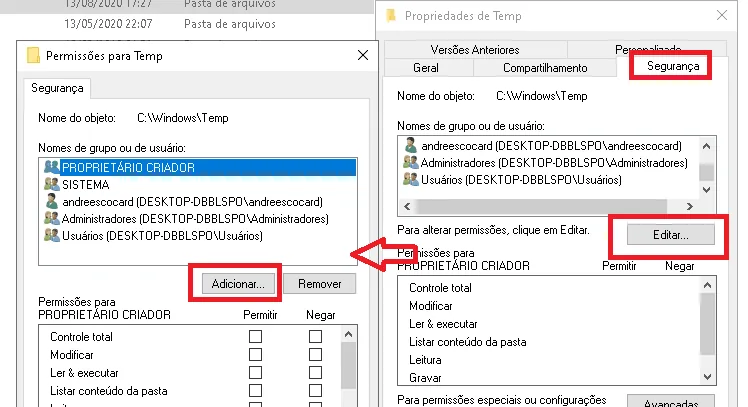
- Open the Security tab, click Edit, and then Add.
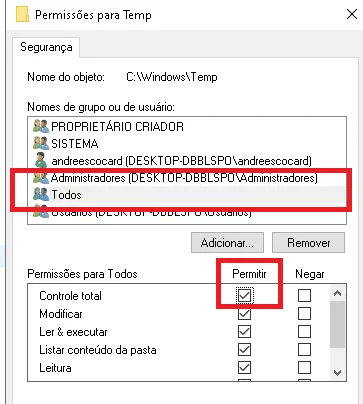
- Type Everyone in the names field and apply Full Control.
- After that, restart the Itaú app installation and the 2502/2503 error should not appear again.
Comments
Join the conversation
Loading comments...