
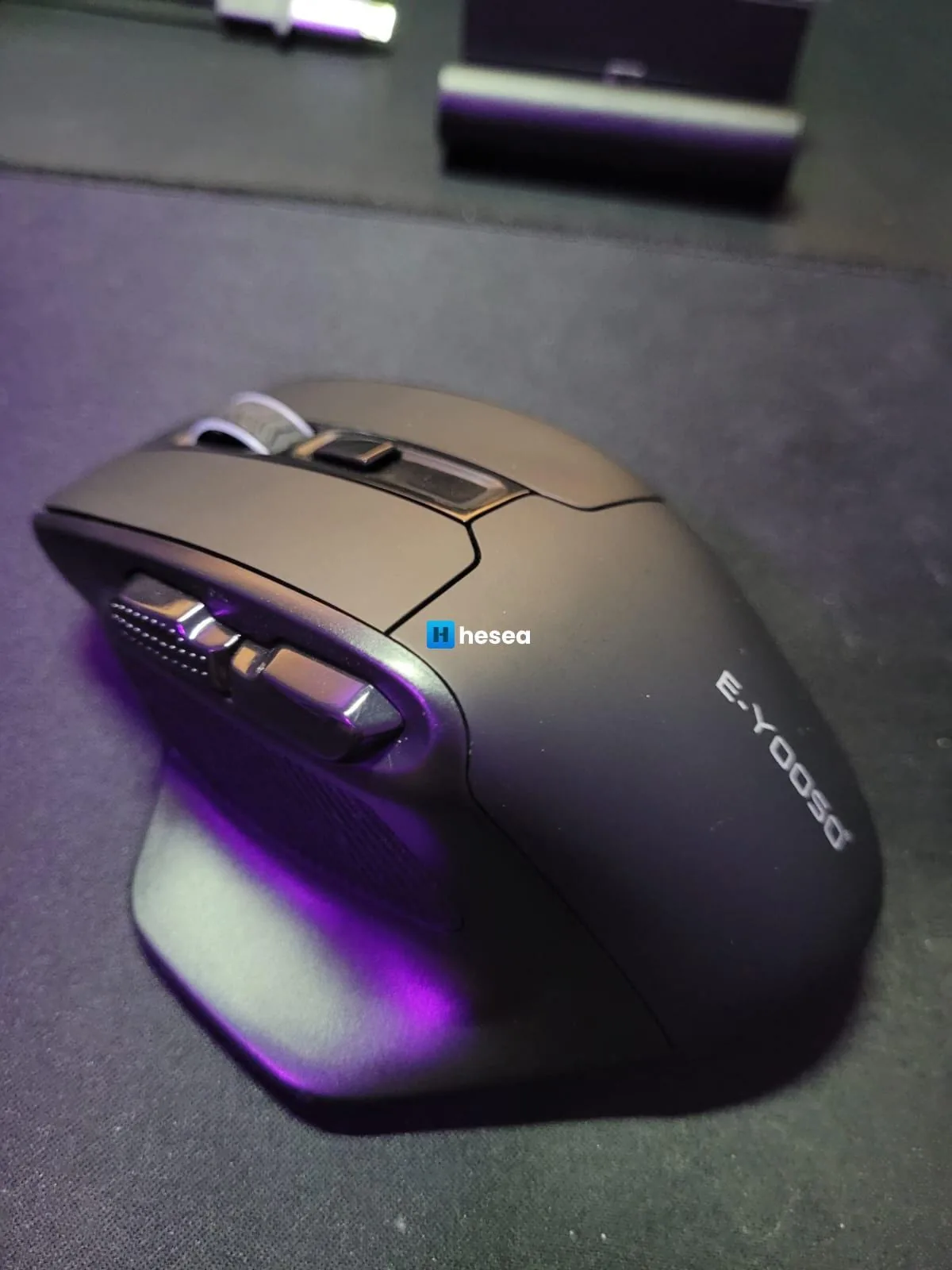
I am back with a review of this mouse I bought some time ago but forgot to post about. Since I cannot adapt to small mice because I have a large hand, I chose this one after my Rapoo MT750S/MT750L started having a scroll problem. I have already solved that too, and I will post about it later.
Compared to the Rapoo, it is a little larger, and I also found it more ergonomic, as shown in the photo below:
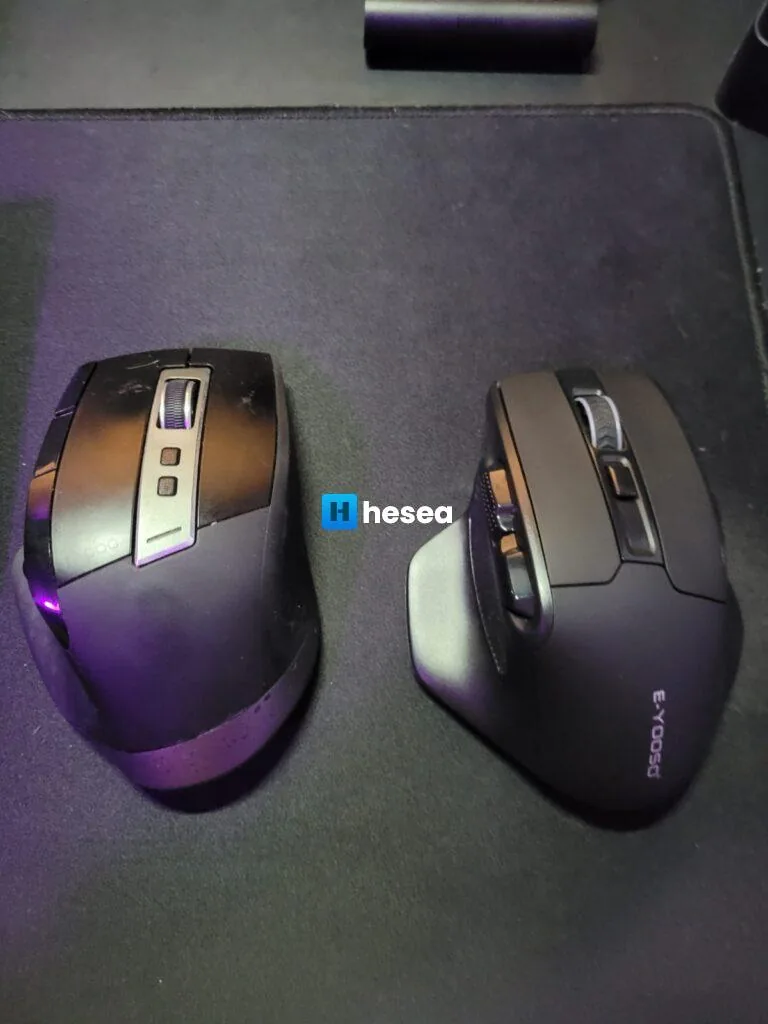
As disadvantages, it has a somewhat noisy click and does not have the features the Rapoo has, but that is acceptable considering its price range.
The mouse is not Bluetooth. It works wirelessly by connecting the plug to a USB port. It also uses one AA battery, which is also a disadvantage since the Rapoo has a rechargeable battery.
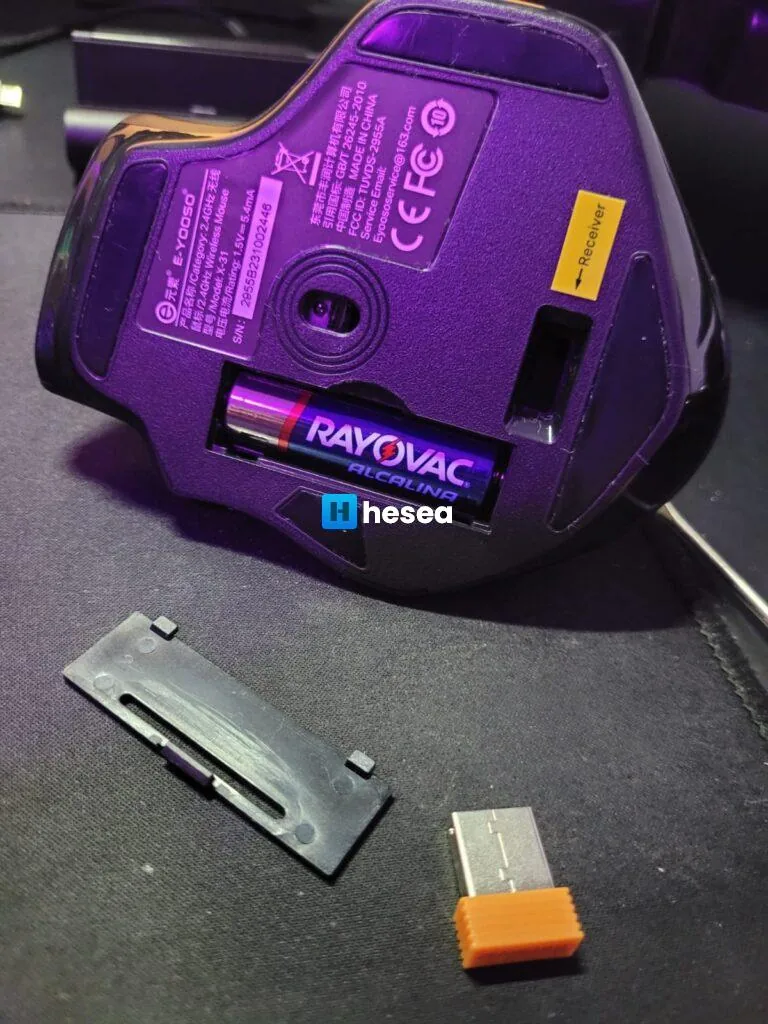
Some features and details:
- If it is not used for 8 minutes, it automatically sleeps to save battery.
- The top button switches DPI between 800, 1200, 1600, 2000, and 4800.
- There is a similar model with Bluetooth.
- It has 5 buttons, counting the DPI selector.
I currently use it for work, and for its price I think it is worth it. I have not used it for gaming.
Overall, it was a backup mouse I bought in case my Rapoo stops working. I still plan to buy the Rapoo MT760 to replace my main mouse.
If you want to buy this mouse, here is the link: https://pt.aliexpress.com/item/1005005768561906.html?spm=a2g0o.productlist.main.1.17ea1bc6p38uNW&algo_pvid=20f4e6ec-dd58-4c50-825d-495729955e74&algo_exp_id=20f4e6ec-dd58-4c50-825d-495729955e74-0&pdp_npi=4%40dis%21BRL%2198.84%2135.61%21%21%2119.07%216.87%21%402103205117086463153524873e61c4%2112000034282900081%21sea%21BR%21136093363%21&curPageLogUid=L5wugfthrERu&utparam-url=scene%3Asearch%7Cquery_from%3A
Comments
Join the conversation
Loading comments...