
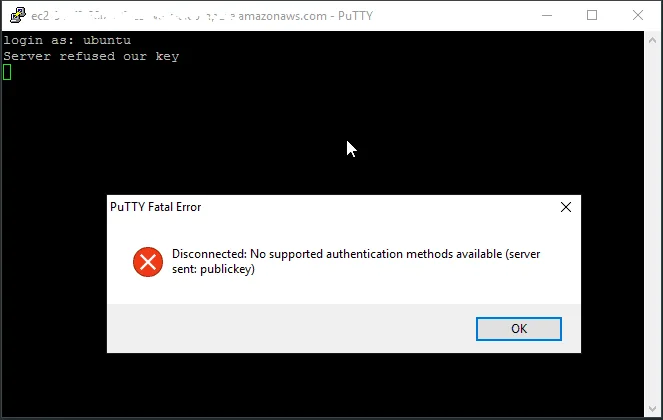
I recently got the "Server refused our key" error while configuring a VPS. After a lot of trial and error, I solved it.
My problem happened on an Ubuntu 22 LTS VPS. The key was configured in the cloud, I selected it to load with the VPS, and everything should have worked, but it did not. This link has some information about the problem.
These were the tests I ran while accessing SSH through the hosting provider's web console:
- I applied permissions to the profile's .ssh folder and the authorized_keys file.
chmod 700 ~/.ssh chmod 600 ~/.authorized_keys
- I checked whether the configuration file had the correct parameters to allow access.
nano /etc/ssh/sshd_config
I made several attempts, but here is what solved the problem and a few tips in case you have a similar issue. Edit the file above and use these parameters:
LogLevel DEBUG3 PermitRootLogin yes PubkeyAuthentication yes PubkeyAcceptedKeyTypes=+ssh-rsa AuthorizedKeysFile .ssh/authorized_keys .ssh/authorized_keys2 PasswordAuthentication no
Tip: always check whether any of the lines above are commented with #. If they are, remove the comment.
After making the changes, restart the service and try connecting again. Use the command below to restart it:
sudo service sshd restart
If that does not solve it, then the issue needs to be analyzed in the log with:
tail -vF /var/log/auth.log
Comments
Join the conversation
Loading comments...